System requirements
CPU: Dual Core
RAM: 4GB
GPU: 500mhz
VRAM: 512MB
This game took inspiration post 911 and the wars in the middle east, it doesn’t play like Red Alert and the Tiberium series. When you play, anything you destroy gets you XP towards a star.
You may redeem a star to unlock a Generals power, such as drop in re-enforcements, artillery strikes or air Strikes.
The economy is different, there is Supply Depots & Oil Derricks for Income. Depending on your General, other income can be sourced from buildable buildings like the Supply drop zone (USA), Black market(GLA) and the internet centre(China) Or unlock a bounty via your Generals power (GLA)
In Summary its a Fun game 
Installation
Note This game doesn’t like alt+tabbing (Directx 8 Limitation), if you wish to alt+tab without it crashing, run in windowed mode and use keyboard scrolling or hold to scroll with the mouse. This issue is legacy Direct 3D related. Being a legacy game, EA Authentication is removed and doesn’t require a CDKEY to play online.
- Install C&C Generals and Zero Hour, you may get the online versions from Steam or from the EA App Note: The game occasionally goes on special for less than $10
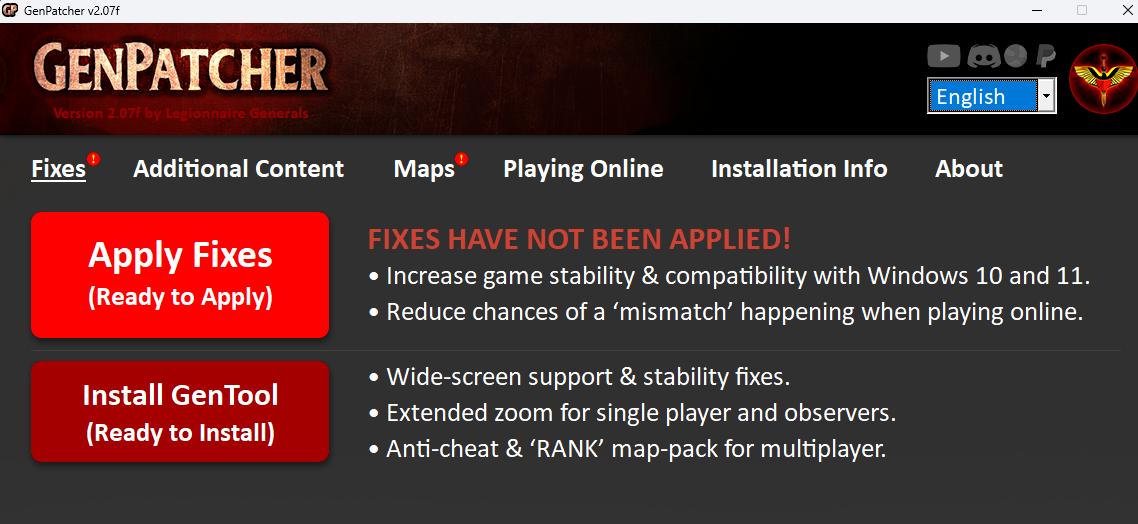
- Download GenPatcher https://legi.cc/downloads/genpatcher/
- Unzip GenPatcher to a folder, run the Genpatcher.exe as an Admin
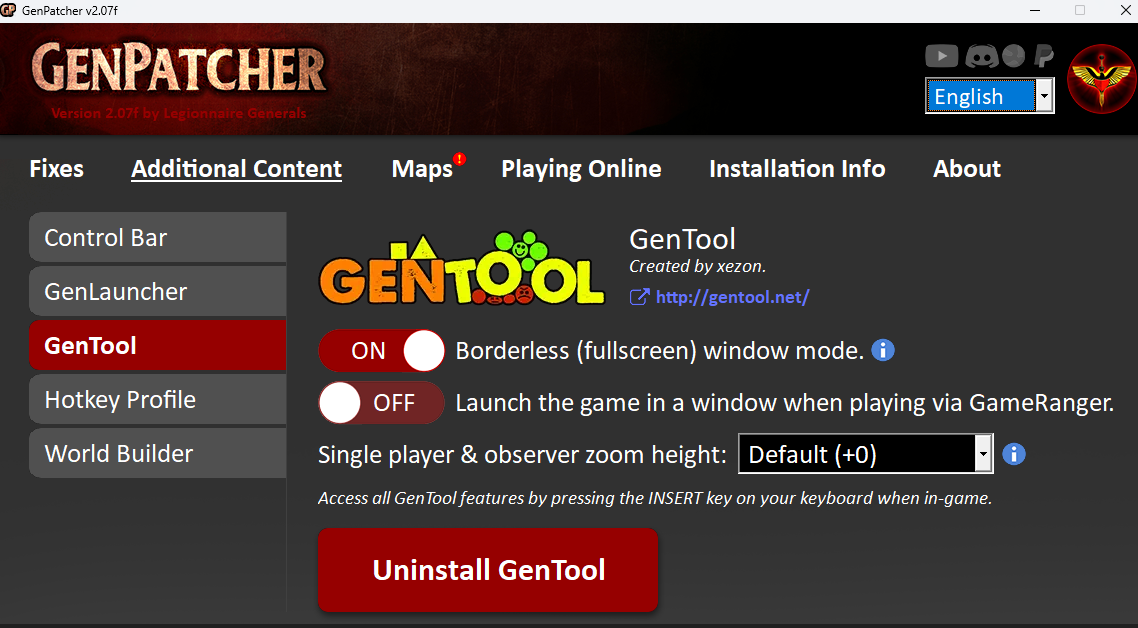
- Apply Fixes & Install GenTool on the 1st Tab.
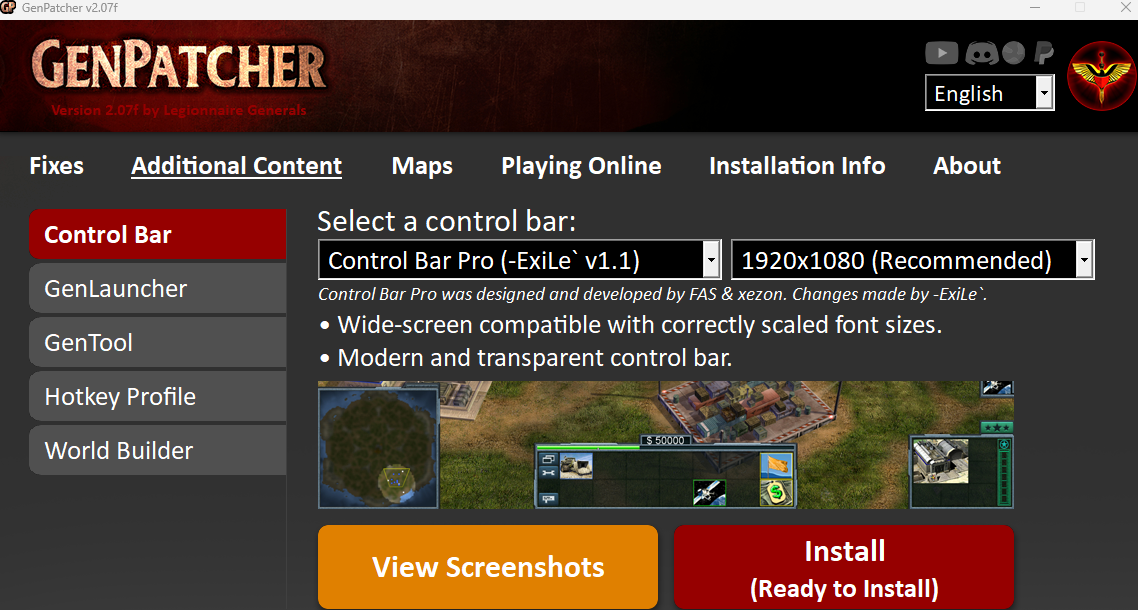
- On the 2nd Tab, install Control Bar Pro.
- On the 2nd Tab for GenTool, select your side scrolling preface
full screen allows traditional side scrolling but doesn’t allow alt-tabbing.
Windowed Mode is hold to side scroll but allows alt-tabbing.
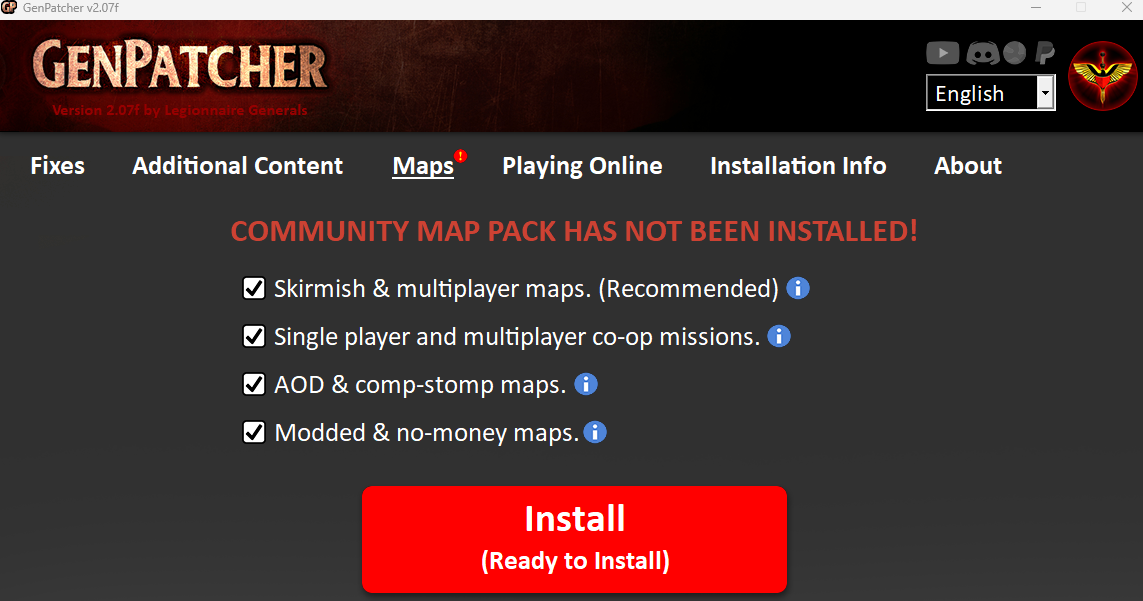
- On the 3rd Tab, install All Maps.
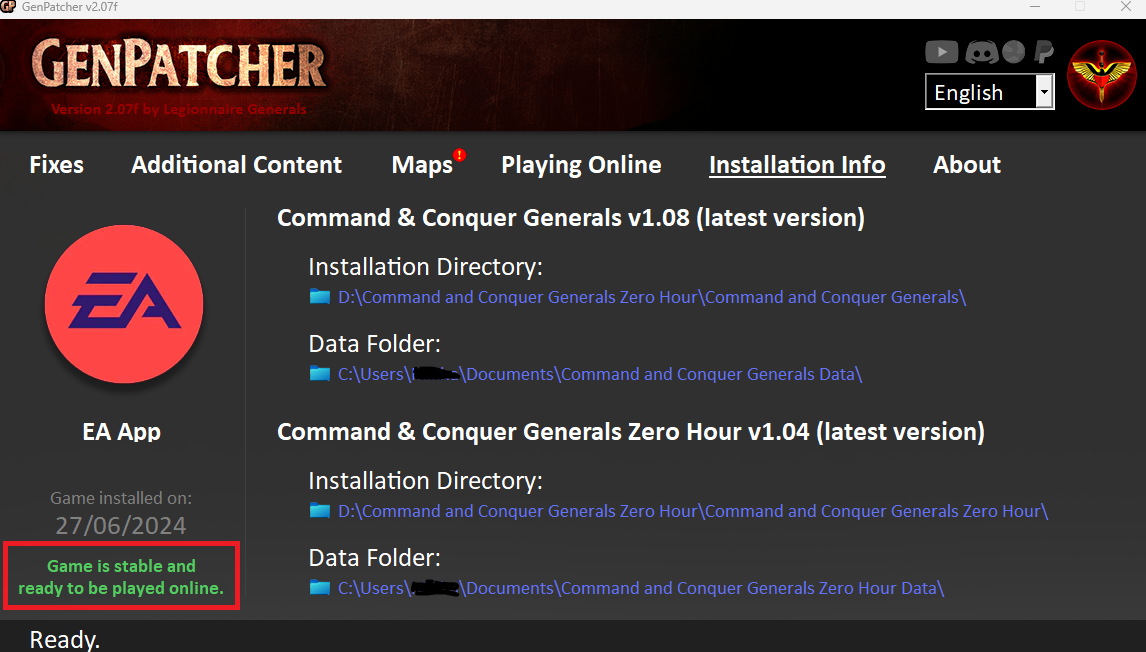
- On the 4th Tab, check if its ready to play, then close Genpatcher.
- This is important for entering the lobby, as it’ll reject you for having the same CDKEY amongst players despite BUYING the game.
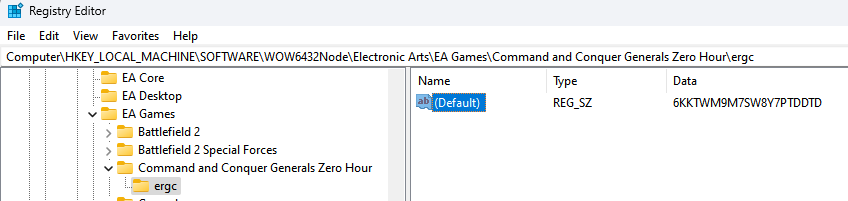
Change your CDKEY for Multiplayer, Open Regedit app and browse toHKEY_LOCAL_MACHINE\SOFTWARE\WOW6432Node\Electronic Arts\EA Games\Command and Conquer Generals Zero Hour\ergc
make an arbitrary change to your cdkey6KKTWM9M7SW8Y7PTDDTCTo 6KKTWM9M7SW8Y7PTDDTX or replace several digits 666 TWM9M7SW8Y7PTDDTC, then close Regedit.
Known Issues
Game Crashes randomly
Despite applying GenPatcher, you’ll still get random crashes, don’t alt tab, use your mobile device to check for discord messages. Don’t try to mess around with the compatibility settings, try playing in windowed mode with keyboard scroll or hold to scroll with the mouse.
Game Freezes
You’re unable to alt tab to terminate the app, forcing you to reboot. If you have two screens, you can alt tab to an app on the 2nd screen and attempt to terminate Generals.exe via task manager or Command Prompt Taskkill /im Generals.exe /f
Starting a Lobby Game hangs
This should of been fixed by GenPatcher, otherwise create a new shortcut to Generals, navigate to your Generals folder and into Zero Hour,
Right click Generals.exe and create shortcut (more options)
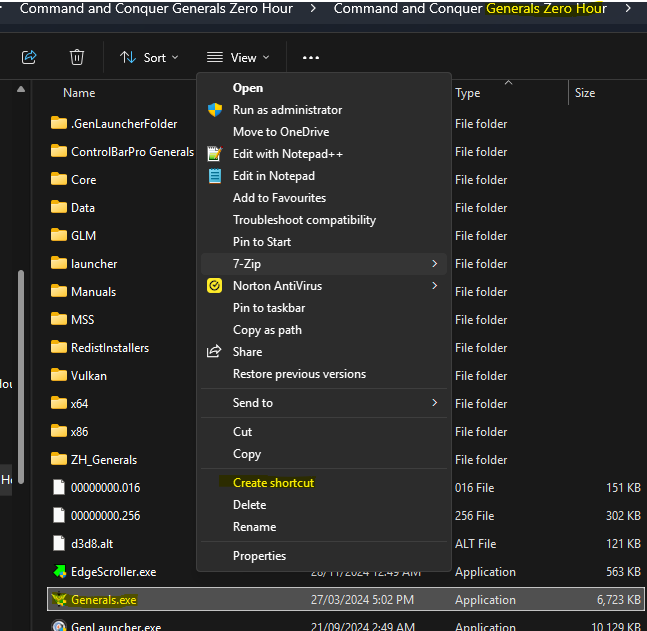
Edit the shortcut with quickstart and its ready to play, you may copy to Desktop or pin to favourites.

I no longer see the ingame control bar or have some visual issue
If you have the Steam version this can happen, it occurs when steam updates the game, re-apply GenPatcher. Gentool works on version 1.04, Steam pushes 1.05 so GenPatcher will just revert the version.
Tips
- Learn hotkeys for moving(M), attack moving(A), and Guarding(G), as not knowing could cost you the battle.
- If you’re new or need help, please call it out, as measures can be taken from the get go to help you get you up and running with an army.
- If you attack an AI, the AI will declare war on you no matter how much they get 3rd partied.
Hotkeys
- CTRL + H = Select Hero
- H = Select home base
- A = Attack command, a unit will attack anything in its path until its dead then move on to the final destination.
- M = Move command and ignore all hostilities despite suffering damage.
- E = While selecting a unit, selects all units of the same type on screen
- CTRL = While a attacking unit is selected, this will cause the unit to dumb/force fire the ground, great for artillery, cruise missiles and scud launchers.
- CTRL + UP/Down = Select Next/Previous Worker
Multiplayer
Note: You may find comp stomp games perform slower, its recommended to have a 1 Human to 1 AI ratio
Funfact: Games run at 30fps
LAN
Note: Multiplayer will work if your CDKEYs are unique amongst the lobby. Also if you’re playing between subnets, the host must advise their IP address to allow players to manually join.
If you have multiple network cards, such as Wifi, Cable or Virtual(WireGuard), then you’ll need to set it to the card that is connected to the LAN under options.
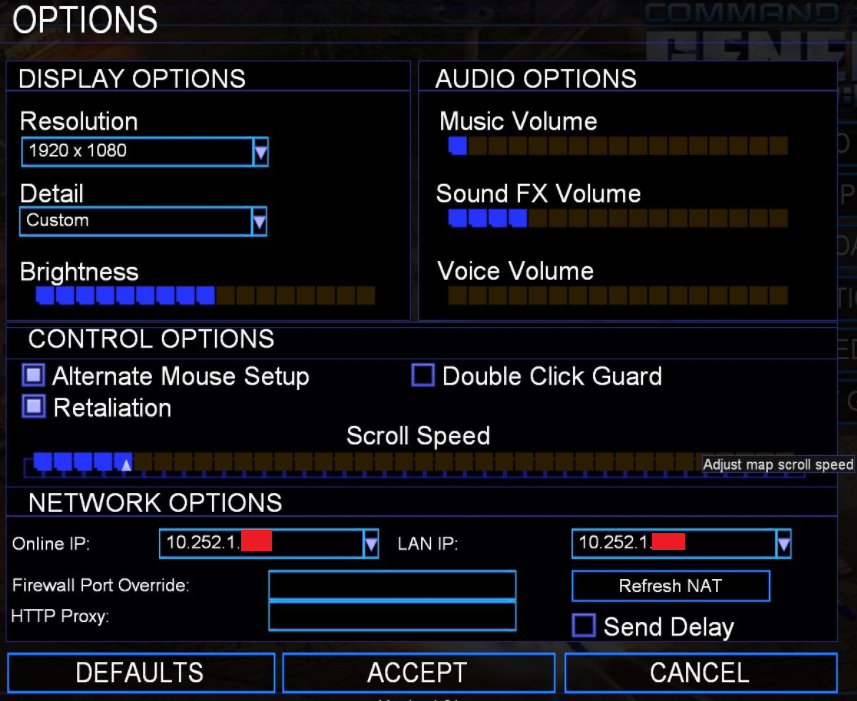
- Get your LAN IP Address, Open Command prompt and type in ipconfig , you may have several but pay attention to the ethernet address for the DadLAN events. WireGuard will show up as unknown adapter
- Open Launch Generals or Zero Hour.
- Once ingame, click Multiplayer and click Network.
- Create a game(anyone invited can create), set the map, add AIs, set your army, set your teams.
- Announce your game in discord gaming chat or your subnet with your LAN IP Address for the DadLAN event otherwise your WireGuard IP address for remote/internet play.
- Everyone in the game lobby must click ready, before the host can launch the game.

GameRanger
GameRange is a free download for Mac and PC that lets you play over 700 games and demos online with friends and opponents worldwide. GameRanger is able to detect installed games and self configure itself. List of Compatible Games
- Navigate to Gameranger and download the client.
- Follow the steps from the website to create an account.
- Add friends or socialise your Gameranger account ID or nickname.
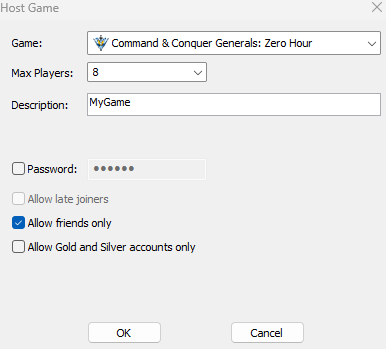
- Host a Friends only game of C&C:Generals or C&C:Generals Zero Hour.
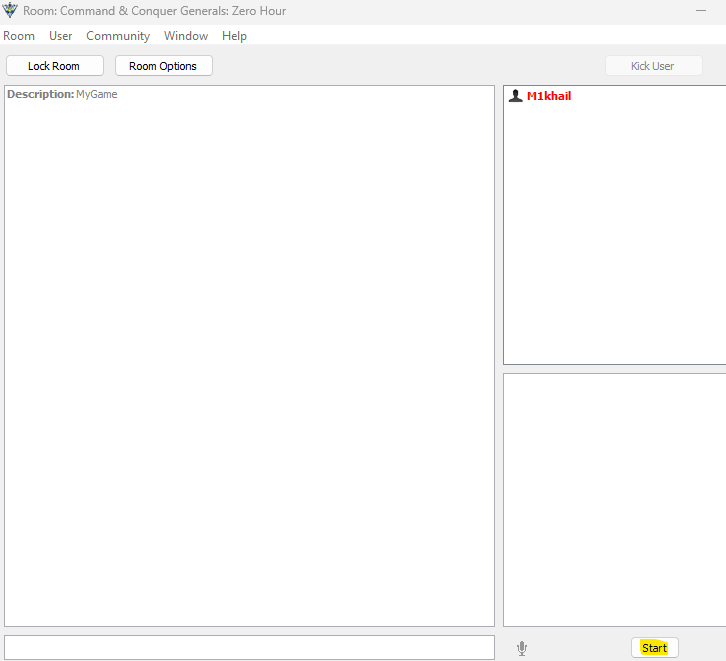
- Click Start, inform your friends to join your game via GameRanger Or invite them through GameRanger.
- Once ingame, click Multiplayer and click Network.
- Create a game(anyone invited can create), set the map, add AIs, set your army, set your teams.
- Everyone in the game lobby must click ready, before the host can launch the game.
C&C Online
Due to EA shutting down online play, this has been picked up by the C&C Community, account signup is required before you’re able to play using the ingame multiplayer online option. If you’re having activation issues, join their discord and DM their bot for Activation.
.

- Naviate to C&C:Online and create an account, then activate it.
- Open Launch Generals or Zero Hour, goto Multiplayer and click Online.
- Sign in using the account you created from C&C:Online.
- Click Custom Match, then create a game with a password.
- Set the map, add AIs, set your army.
- Wait for your friends to join in, then set your teams.
- Everyone in the game lobby must click ready, before the host can launch the game.